Professional TV Installation & Setup
Services at Your Doorstep
We specialize in professional TV wall mounting, Smart TV setup, soundbar installation, cable management, and complete home entertainment solutions — designed for a clean, secure, and seamless setup.
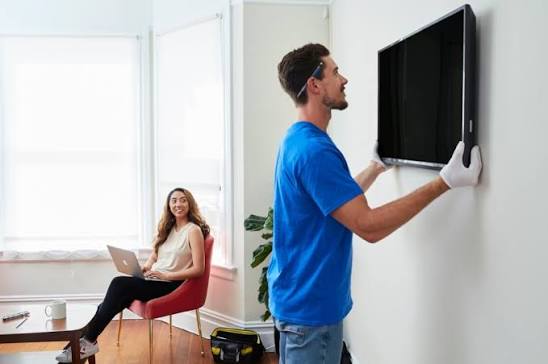
About Us
At TV Mounting MTV, we make TV installation and home entertainment setup simple, organized, and convenient. Our goal is to provide practical assistance for customers who need help mounting, installing, configuring, or troubleshooting their television and related devices.
Whether you have a new Smart TV that needs to be mounted on the wall or an existing entertainment setup that needs reorganizing, our services are designed around safe installation, clean presentation, and a smooth setup experience.
What We Offer
Complete TV installation & home entertainment services
TV Wall Mounting
Professional wall mounting designed to keep your television secure, level, and positioned perfectly for comfortable viewing.
- Fixed, tilt & full-motion mounting
- Installation on different wall surfaces
- Neat positioning and cable routing
Smart TV Setup
Get your Smart TV configured and ready with essential settings, connectivity, applications, and device preferences.
- Wi-Fi and application setup
- Basic account configuration
- Picture and audio adjustments
Soundbar & Home Theater
Improve your entertainment setup with properly positioned sound equipment and a cleaner audio connection.
- Soundbar installation assistance
- Speaker and audio connections
- Basic sound configuration
Repair & Troubleshooting
Practical assistance for common television problems involving display, sound, connections, and basic setup.
- Display and audio issues
- Connectivity troubleshooting
- Setup and mounting adjustments
Cable Management
Keep your TV area organized with clean cable routing that reduces visible wires and creates a more finished appearance.
- Organized cable routing
- Raceway and wire management
- Clean and tidy finishing
Home Entertainment Setup
Create a convenient entertainment space by bringing your TV, audio equipment, and connected devices together.
- TV and audio device integration
- Gaming console connections
- Streaming device setup
Vizio TV Setup FAQ – TV Mounting MTV Online
Find answers to common questions about Vizio TV setup, connection, activation, updates, and troubleshooting.
Start by powering on your Vizio TV and selecting your preferred language. Connect the television to your home Wi-Fi network and follow the setup instructions shown on the screen. A stable internet connection can help make the initial setup process smoother.
Vizio com setup generally refers to the process of configuring a Vizio Smart TV, including connecting it to the internet, completing required settings, installing updates, and preparing supported apps.
Open the Network or Settings menu on your Vizio TV, select your home Wi-Fi network, and enter the correct password. If the connection does not work, verify your router is online and try reconnecting.
Check that your Wi-Fi is working correctly and that the TV is within a suitable range of the router. Restarting both the television and router can also resolve temporary connection problems.
Account requirements can depend on your particular Vizio model and the features you want to use. Follow the instructions displayed during setup. Individual streaming applications may also require separate accounts.
Open the application you want to use and follow its on-screen instructions. Some services may display an activation code and direct you to their official activation website to complete the process.
Give the TV a few moments if it is installing an update or completing a setup task. If there is no progress, restart the television and check your internet connection before trying again.
Keep your Vizio TV connected to the internet and check the television's settings for available software or firmware updates. Follow the instructions provided by the TV when an update is available.
TV Mounting MTV Online provides independent assistance for general TV setup questions, including Wi-Fi connection, configuration, supported applications, and common troubleshooting steps.
No. TV Mounting MTV Online is an independent third-party service and is not affiliated with, endorsed by, or officially connected to Vizio. Vizio and its related trademarks belong to their respective owners.
Before starting, keep your Wi-Fi network name and password available. You may also need login details for streaming applications you intend to use. Avoid sharing sensitive passwords or payment information with unknown parties.
FAQ Disclaimer
The information provided in these FAQs is for general informational and educational purposes only. tvmountingmtv.online does not guarantee the accuracy, completeness, or applicability of any information contained in this FAQ section. Instructions related to TV Activate Code, TV Activate, TV Activation, Smart TV Setup, and TV Setup may vary depending on the device manufacturer, streaming service, software version, or service provider.
tvmountingmtv.online is an independent informational resource and is not affiliated with, endorsed by, sponsored by, or authorized by any television manufacturer, streaming platform, application provider, or brand referenced on this website. All trademarks, logos, brand names, and product names are the property of their respective owners.
Users should refer to the official documentation, support resources, and terms of service of their device manufacturer or service provider for the most current and accurate information. Any actions taken based on the information provided on this website are at the user’s own discretion and risk.